Use case
AI podcast clip generator
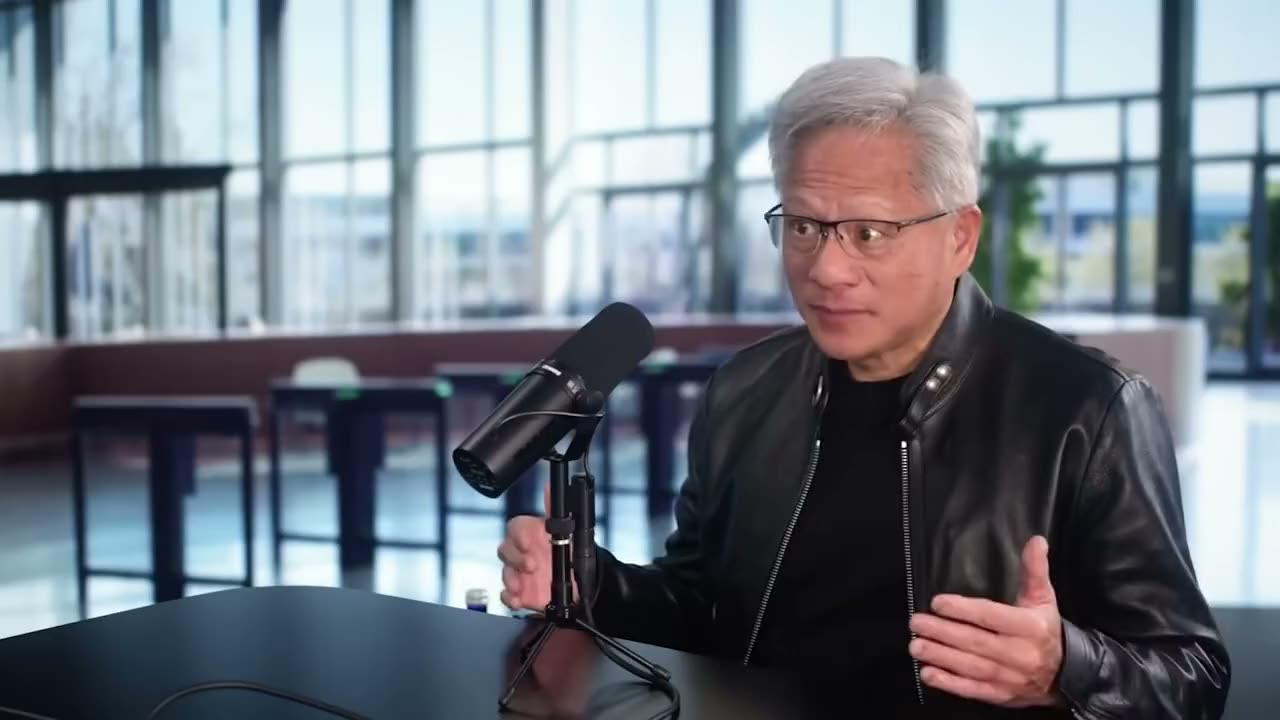
KeyMo turns a full podcast episode into up to 15 scored vertical clips. Paste a YouTube link (paid plans) or upload an MP4 or MOV of 5 minutes to 3 hours. Each clip is 9:16 at 1080x1920 with captions and no watermark. Only clips scoring 7 out of 10 or higher are kept, so a weak episode returns fewer. There is no free plan.
How it works
- 1
Check what you are importing
KeyMo takes a YouTube link or an MP4 or MOV upload, from 5 minutes to 3 hours and up to 10 GB. Link import is on paid plans, fetches up to 1080p and asks you to confirm you own the video or have permission. Audio-only files are not an input, so use the video version of the episode.
- 2
Choose a clip length
Auto picks 15 to 90 seconds for each clip. Short is 20 to 40 seconds, Medium is 40 to 60 and Long is 60 to 90.
- 3
Read the scores
Each clip gets a score out of 10 and a one-line reason. Only clips scoring 7 or higher are kept, so a weak episode returns fewer clips, up to 15 in total.
- 4
Pick captions and music
Choose one of 12 caption styles, or none. Captions run word by word. The music library is organised by mood if a clip needs a bed.
- 5
Fix a clip in chat
Open a clip in edit mode and tell KeyMo what to change. Edit mode accepts clips from 15 seconds to 10 minutes long.
- 6
Export the clips
Download clips one by one or all together as a ZIP. Every clip is 9:16, 1080x1920, 30 fps, H.264/AAC, with no watermark on any plan.
Why creators pick it
Scores with a cut-off
Every clip has a score out of 10 and a one-line reason. Post the top two or three first. The 7-out-of-10 cut-off means a weak episode gives you fewer clips instead of filler.
Face-tracked reframe
Automatic face-tracking reframe to 9:16, with silence trimmed.
12 caption styles
Pro Glow, Bold Pop, Clean, Punch, Classic, Spotlight, Pulse, Karaoke, Reader, Duo, Slide and Headline, or no captions at all.
Edit one clip in chat
Open any clip and tell KeyMo what to change, for example the captions or where the clip starts.
What to expect per episode
These are built-in targets, not measured results: 3 to 5 clips from a video up to 15 minutes, 5 to 8 up to 30 minutes, 8 to 12 up to 60 minutes, and up to 15 for longer ones.
Limits to know
Clips are vertical 9:16 only, never 16:9. There is no free plan and no trial. Starter is $12 a month for 300 source minutes and Pro is $29 a month for 900.
FAQ
Is there a free podcast clip generator?
KeyMo is not free. It has no free plan and no trial. Starter is $12 a month for 300 source minutes and Pro is $29 a month for 900, and a 60-minute episode uses 60 source minutes. If free is a hard requirement, KeyMo is not the right tool for you.
How do I turn a podcast into clips?
Upload the video file of the episode (MP4 or MOV), or on a paid plan paste its YouTube link. KeyMo returns scored 9:16 clips, you keep the ones you want, choose captions and export them.
Can I use an audio-only podcast?
No. KeyMo makes video clips, and its inputs are a YouTube link or an MP4 or MOV file. An audio-only file or a Spotify link will not work, so you need the video version of the episode.
Does KeyMo work on long interviews?
Yes, up to 3 hours per source video (180 minutes), and up to 10 GB for an upload. A longer episode gives KeyMo more moments to choose from.
Can I upload a private podcast?
Yes. Upload the MP4 or MOV directly instead of using a link. Source files are kept for 7 days and finished clips for 30 days.
How many clips do I get from a 60-minute episode?
KeyMo aims for 3 to 5 clips from a video up to 15 minutes, 5 to 8 up to 30 minutes and 8 to 12 up to an hour, and up to 15 from longer ones. Only clips scoring 7 out of 10 or more are kept, so a weaker episode returns fewer. These are the product's built-in targets, not measured results.
Can I choose how long the clips are?
Yes. Auto picks between 15 and 90 seconds. Short is 20 to 40 seconds, Medium is 40 to 60 and Long is 60 to 90.
Can I export 16:9 clips?
No. KeyMo exports vertical 9:16 clips at 1080x1920 only. If you need a horizontal cut, you will need another tool for that.
Do the clips have a watermark?
No. There is no watermark on any plan.
Does it work with two-camera podcasts?
KeyMo reframes to 9:16 with automatic face tracking. We have not published results for specific camera layouts, so check each clip before you post it and use the chat editor if a shot needs changing.
Can I paste any YouTube link?
Only for videos you own or have permission to use, and KeyMo asks you to confirm that before it imports. Link import is on paid plans and fetches up to 1080p.
Clip your first podcast with KeyMo
1080p, no watermark, full features. Cancel anytime in the app.
Get started →